 GoalGlance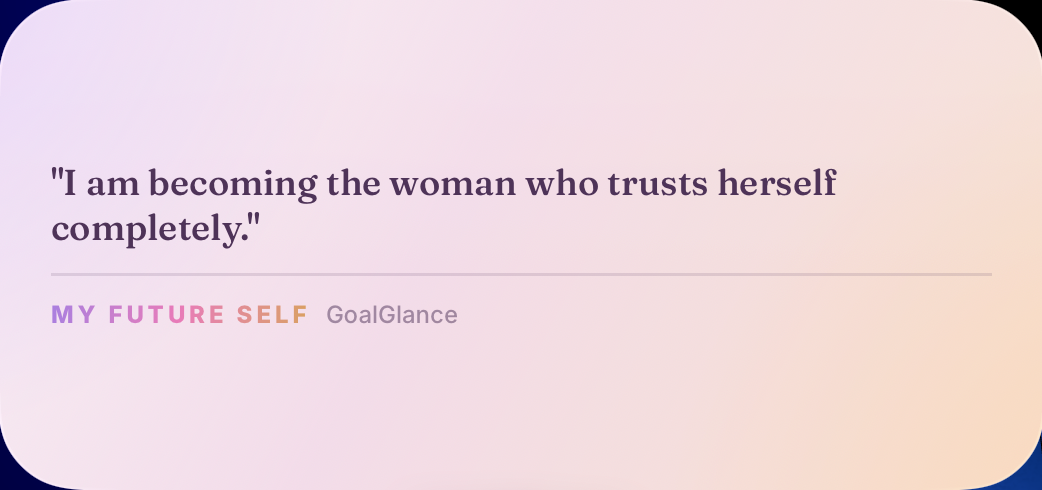
Choose the moment before the words
Instead of looking for a sentence that covers your entire life, choose a moment: preparing for an interview, deciding whether to speak up or making time for a personal project. Ask what you would want to remember at that moment.
An affirmation is not a prediction. You can write something supportive without declaring that you have already achieved an outcome. If a sentence feels like someone else’s voice, rewrite it rather than forcing yourself to repeat it.
Five starting points to make your own
- Before an interview: “I can explain what I bring.”
- When asking for help: “I’m allowed to ask questions.”
- For a personal project: “I can start before it feels perfect.”
- When comparing timelines: “I can choose my next step.”
- When naming a desire: “I’m allowed to want more.”
These are writing examples, not tested interventions. Keep a phrase only if it is useful to you. For more professional situations, see our career affirmation examples.
Use this three-line writing exercise
First write the situation: “I want to speak during the meeting.” Then write what you can do: “Prepare one point before it starts.” Finally make the reminder short: “My point is worth sharing.” The useful link is between your sentence and a choice you can actually make.
Read it aloud. Would you say it to yourself or a friend? Remove words that make it sound like a poster. Keep the longer explanation in your notes if you want; the widget only needs the reminder.
Place it where the text is readable
In GoalGlance, prepare your affirmation, then use an available widget layout. Affirmation widgets are part of Premium; you can try the app with one vision and the free Progress widget first. See the iPhone widget installation guide for the system steps.
Compare the preview with your actual screen. Avoid squeezing a paragraph into a compact format. If you want to keep several sentences, choose one for the widget and keep the others elsewhere. An image-based vision board can hold a different part of the same intention.
Decide what should stay private
A sentence on your phone can be seen by someone nearby. Before displaying an affirmation about a relationship, money or work, consider whether you would be comfortable with that. A neutral phrase can carry a very personal meaning without naming another person or revealing a number.
Local storage and screen visibility are different questions. Read the app’s privacy policy for data handling; choose your on-screen wording with your surroundings in mind.
When to change the phrase
Revisit it when the situation changes, it no longer sounds like you, or you would prefer a different reminder. There is no universal number of days after which an affirmation expires.
A widget can hold words you choose; it cannot guarantee confidence or a particular result. If you want to pair the phrase with something practical, our visualization exercise includes a way to identify your next action.