 GoalGlance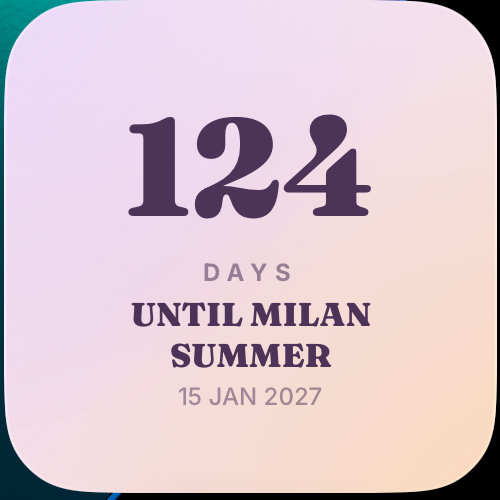
Choose a date with a clear meaning
Start with an event you can name: the day you get the keys, your train departure or the agreed start of a job. A confirmed date makes the countdown easy to interpret.
You can also choose a personal review date. Label it honestly as “Review my plan” rather than making it sound as though an uncertain result is booked. A widget counts towards a date; it does not make an event happen.
Use a short label you will understand later
“Moving day” or “First day” is clearer than “My new life”. If you have several important dates, include enough context to tell them apart, such as the destination of a trip. Keep private addresses or employer details out of the label if others might see your screen.
The label and date should tell the same story. For a trip, decide whether you mean leaving home, boarding or arriving. For the widget, use the day that best matches what you want to anticipate.
Prepare outside the countdown
For a move, your separate list could include measuring furniture, confirming practical arrangements and packing a bag for the first night. For a new role, it could include checking the arrival details and preparing questions. Adapt these examples to your circumstances.
The countdown gives the project a visible place. Your calendar and task list hold appointments and preparation. A single number cannot replace those details, and you do not need to force all of them into the widget.
Add the widget and inspect the preview
Create a Countdown vision in GoalGlance, choose the date and add an available widget layout. Countdown is a Premium widget; the free option includes one vision and Progress. Our installation guide explains how to add widgets on iPhone.
Check that the event name and date match your intention. If the count seems unexpected, review the date and your device settings, then reopen the app. Contact support if you need help with a specific display problem.
When a date is not the best reminder
If the project is mainly about a quantity, a Progress widget may be clearer. If you are still exploring what you want from a home, an apartment vision board leaves more room for discovery than an invented deadline.
For an ongoing intention without an end date, a phrase or image can be enough. Use the format that matches the project rather than creating a deadline just to fill the widget.
When the plan changes
Update the date when arrangements change, or remove the reminder when it is no longer relevant. If watching the days makes the project feel unnecessarily pressured, choose another format.
After the event, decide what you want to see next: an image from the trip, a new intention or simply more space on your screen. A countdown can be temporary. It has done its job when the date is no longer useful to display.